Verify Kakobuy Coupon Links: Website vs Google Sheets
Verify Kakobuy Coupon Links: Website vs Google Sheets
Verify Kakobuy Coupon Links: Website vs Google Sheets
Verification date: September 30, 2026
First, clarify what this verification needs to solve
When you have a kakobuy coupon link saved in Google Sheets, what you really need to confirm is not "whether the link opens," but whether it still corresponds to a coupon rule that can be judged. After completing the steps in this article, you should be able to decide: whether to keep this link, supplement information, or pause its use. ✅
This article only discusses the correspondence between coupon entry links, website visible conditions, and spreadsheet records. It does not confirm specific coupon amounts, redemption codes, inventory, or whether a particular coupon is currently valid; these details must be based on the pages and official information visible on the Kakobuy official website on the day of verification.
What visible conditions should be saved from Kakobuy pages
After opening the coupon-related page, first check whether the page displays a clear coupon name or identifier, along with applicable scope, usage threshold, validity period, usage restrictions, and necessary steps for claiming or using.
If the page only shows an entry without any applicable conditions, do not infer coupon content based on the link name. Link accessibility only proves that the entry is temporarily accessible, not that the coupon is still usable.
Also, record the page's verification date. Coupons are highly volatile information; page content, thresholds, validity periods, and applicable scope can all change.
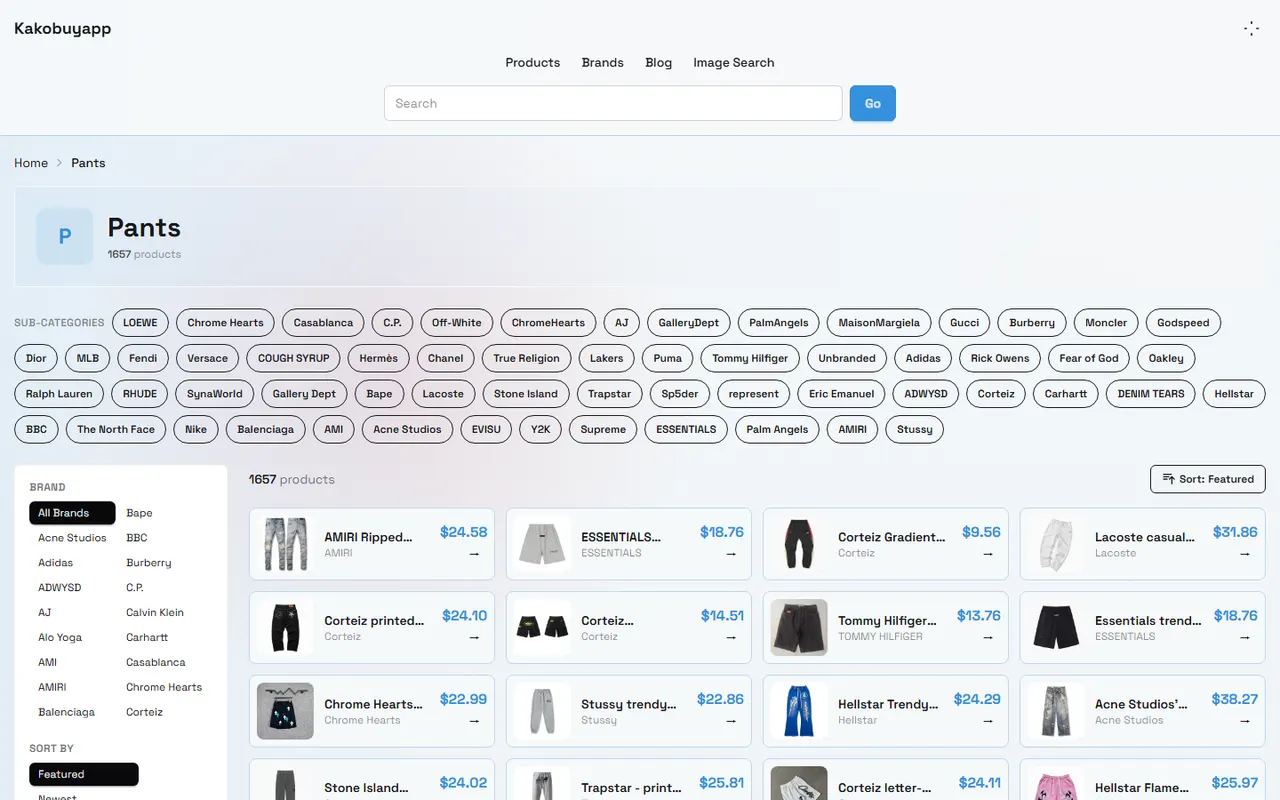
The image is a sample Kakobuy product catalog page. It only indicates that the catalog page has product filtering and display information, and cannot serve as evidence of coupon applicable conditions or discount amounts.
How Google Sheets records links, thresholds, and update times
The spreadsheet should save the link itself separately from the page verification results. Do not keep only a "valid" or "invalid" status, because that status does not explain the basis for judgment and is not conducive to subsequent review.
It is recommended to keep at least the following fields:
Field | Recording requirement |
|---|---|
Coupon name or page title | Record based on visible text on the page; do not rewrite into a more favorable phrasing |
Official page link | Save the actual entry address opened |
Applicable orders | Record the order, service, or product scope clearly stated on the page; if not stated, fill in "Not displayed" |
Usage threshold | Record the amount, condition, or "Not displayed"; do not infer on your own |
Validity period | Record start and end dates or the period shown on the page; if no date, fill in "Not displayed" |
Page status | Accessible, redirected, blank, error, or missing rules |
Verification date | Use year-month-day to record the last check time |
Judgment | Keep, pending evidence, pause use |
Link addresses should not replace rule fields. Even if the same link was previously valid, you cannot infer that the page conditions have not changed since then. 🧾
Compare coupon names, applicable orders, and validity period information
After completing the records, compare the website page and Google Sheets item by item:
Does the page title or coupon name correspond to the spreadsheet record?
Does the page clearly state the applicable orders or services?
Does the page display a usage threshold, and does the spreadsheet fully retain the original conditions?
Does the page display a start time, end time, or other duration description?
Does the page require claiming, logging in, redeeming, or using at checkout?
Are the page and the spreadsheet from the same official entry, rather than from search result summaries or third-party aggregated pages?
If the page only shows partial information, the spreadsheet can only record what has been seen. Unknown content should be explicitly marked as "Not displayed," and should not be filled in with common coupon rules.
How to pause judgment when the link opens but rules are missing
In the following situations, it is recommended to set the judgment to "Pending evidence" or "Pause use":
The page opens but has no coupon name or clear identifier.
The page does not describe applicable orders, thresholds, or validity period.
The page redirects, and the final page is inconsistent with the original record.
The page displays blank, error, or requires permission, and the rules cannot be read currently.
The name in the spreadsheet does not match the page display name, and it cannot be confirmed whether it is the same coupon.
The page only provides promotional language without actionable claiming or usage conditions.
Pausing judgment does not mean the coupon is invalid, but rather that the current evidence is insufficient. Do not rewrite "missing rules" as "no threshold," and do not rewrite "validity period not displayed" as "long-term valid." ⚠️
What to recheck when prices or discount amounts change
If the discount amount, threshold, or description on the page changes, you should recheck the entire set of conditions, not just modify one number. Focus on checking:
Whether the coupon name or identifier has changed.
Whether applicable orders and services have changed.
Whether the usage threshold has increased, been removed, or changed to other conditions.
Whether the validity period has been extended, shortened, or already ended.
Whether new claiming, login, or checkout restrictions have been added.
Whether the original link still points to the same official page.
When modifying Google Sheets, keep the new verification date and note in the remarks which item has changed. If you cannot determine whether the old and new records correspond to the same coupon, keep the old record as history and do not directly overwrite and declare it usable.
Coupon link checklist before submitting an order
Before submitting an order, you can quickly recheck in the following order:
[] The link opens, and the final page belongs to the official Kakobuy website.
[] The page name or coupon identifier matches the spreadsheet record.
[] Applicable orders and usage threshold are clearly recorded.
[] Validity period still covers the current usage time, or the page clearly states the current status.
[] The claiming, login, redemption, or checkout steps required by the page have been confirmed.
[] The verification date in the spreadsheet is recent enough, and there is no "missing rules" remark.
[] Third-party descriptions, old screenshots, or search summaries are not used as current official conditions.
If any one of these cannot be confirmed, pause use and recheck the official page. 📌
After verification, decide to use, keep, or discard
The situation where you can use: the link opens, page information is complete, spreadsheet records match the page, and applicable orders, threshold, and validity period all correspond to the current operation.
The situation where you can keep but temporarily not use: the link and page are still accessible, but one key condition has not been displayed or confirmed. In this case, mark "Pending evidence" in the spreadsheet, not as valid.
The situation where it is recommended to discard or archive: the link is invalid, continuously redirects, the page no longer exists, rules cannot correspond with the spreadsheet, or the validity period has ended. When archiving, keep the original link, last verification date, and reason for pausing to avoid future misuse.
This approach does not guarantee any discount, but it can reduce checkout errors caused by old links, missing thresholds, or misjudgment of applicable scope. It is more suitable for users who need to maintain multiple coupon records, collaboratively edit Google Sheets with multiple people, or want to leave clear verification evidence before submitting orders; if you are just browsing discount information temporarily, there is no need to fill in conditions that are not displayed.
Frequently Asked Questions about Shopping on Agent Platforms
1. How should I search for products I want to buy on Kakobuy?
On Kakobuy, you can enter a single keyword to search, or directly go to brand category pages to browse. Generally, longer search terms yield fewer but more precise results than short terms. For example, you can search "Air Force 1 White," "sneakers," or just "Air Force 1."
2. What product categories are available on the Kakobuy website?
Kakobuy offers a very comprehensive range of products, including shoes, T-shirts, sweaters, hoodies, jeans, sweatpants, shorts, beach shorts, factory clearance items, down jackets, baseball shirts, shirts, hats, jewelry, bags, electronic products, sunglasses, socks, underwear, and trendy collectibles.
3. What types of products can be found in Kakobuy's spreadsheets?
In Kakobuy's website spreadsheets, you can find footwear, clothing, bags, accessories, jerseys, perfumes, hats, scarves, belts, and various household items.
Browse our latest products and find your next favorite item.